
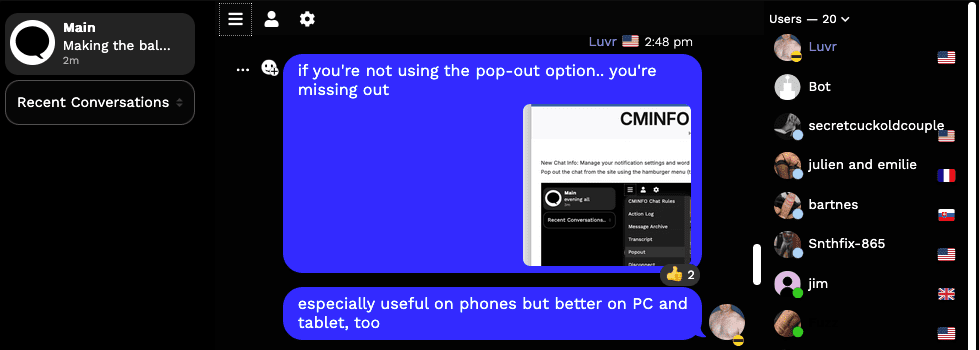
First and foremost: read and comply with the chatroom rules before entering. Failure to do so may result in unintended violation of the chatroom rules/customs and result in your ejection. Ejection results in landing on the rules page, so those who then fail to read the rules and simply return to chat most often get banned.
Guest v Member Access
As of 3/22/20, website guests (those not logged in as registered members) will not be able to chat in the Member chat room.
Moderators
Follow the directions of the moderators or risk being removed from the chatroom. Repeated violations or sufficiently stupid violations will result in a permanent ban from the chatroom and potentially from the entire site.
Bans
If you cannot log into chat as a registered and logged in user, you have likely been banned from chat.
Bans are forever unless lifted. To have a ban reviewed, contact me and be prepared to explain/defend your actions. Be an asshole after being banned from the chat and you’ll be banned from the entire site.
Common reasons for being banned:
- chat names or chat content includes elements that declare or invite bisexual interest
- chat names or chat which indicate or imply being underage
- chat names or chat which indicate or imply incest
- chat names or chat which indicate or imply any illegal activity
- failure to reply to a direct question from a moderator
- moderators include Luvr (owner), steve69, sussex_couple, Arapahodom, and HoustonCuckCouple
- failure to respect the right of others to refuse communication
- inviting members or guests to web meeting sessions like GoToMeeting, TeamViewer, etc. (presents a privacy and security risk)
- just being an asshole (entirely at the discretion of moderators)
Chatroom Names
Chatroom names for registered (logged in users) can be changed as referenced below. Guests will have to choose a name for themselves, but as stated above, private messages are not available to guests. I do not expect this to change.
Introduction
The chat will work in pretty much any browser, PC, mobile device, or tablet.
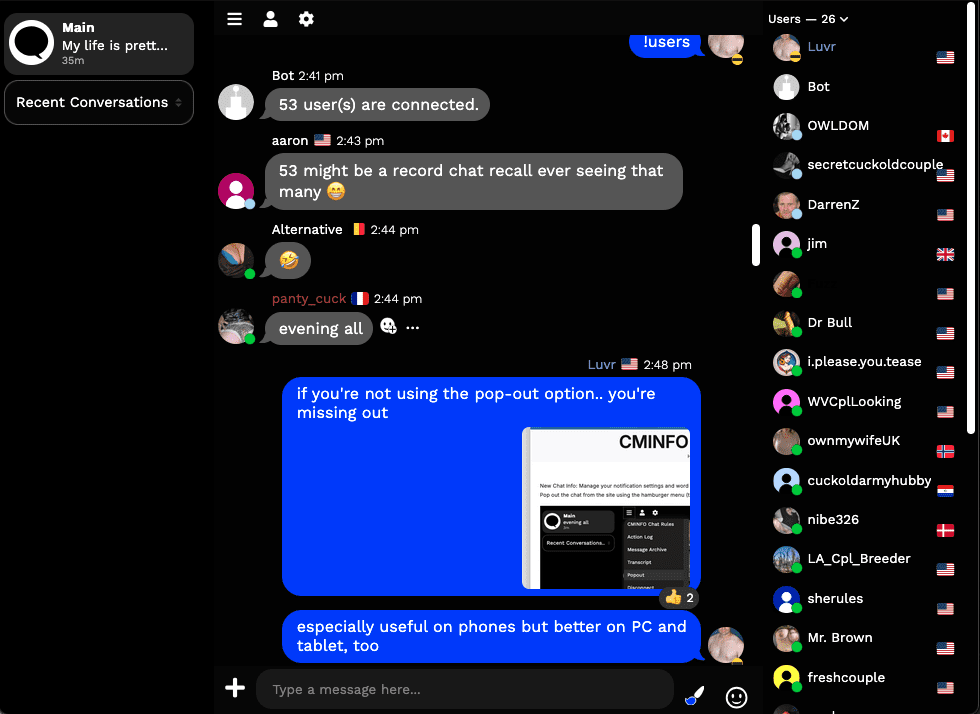
On the left are the Main (group) chat and Private Messages. Private messages will show up under the Main chat as tabs per conversation. Once you close one, you can either open again from the menu rendered when you click on a name in the list (right) or by looking toggling Recent Conversations to All Conversations.
Depending on factors like screen resolution and browser window size, the chat may appear a bit crowded. This is especially true if on a phone. Solution: click the hamburger menu (three stacked lines) and choose popout to have full control of sizing.
Top, Center – menu buttons

Hamburger Menu
Using Popout to lift the chat out of the page and provide freeform resizing is highly recommended – especially on mobile devices but also preferred on PC.

Personal Menu
- change avatar
- change Nickname color in the list
- change status (away, busy)

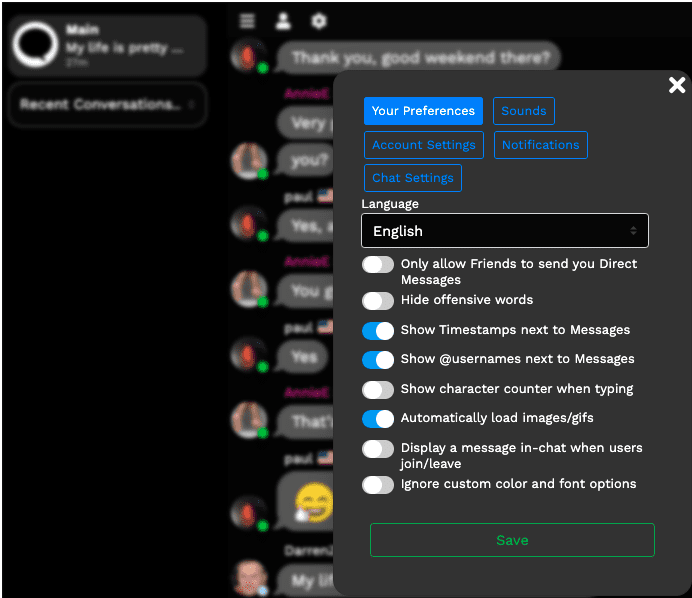
Options Menu
- only allow Friends to DM you
- toggle hiding offensive words
- timestamp options
- show join/leave notification
Chat Features
Replies to particular comments are possible to ensure comments are tied to the appropriate original post. Reply using the … after the post.
Reactions: Only 4 emojis are available as a reaction to a post: devilish, thumbs up/down, heart, rofl. React by click the smiley icon after the post.
Ranks
- Owner – you can figure that out
- Moderator – yep, you got this
- Visitor – default role
- Regular – requires an avatar, profile details, and tenure
What role does Rank play in the chat? Functions, like bot commands, and file upload limits are set by rank.
Bot
Image/File Sharing
- Images can be uploaded (5mb limit right now), but I may increase for Regular rank
- screenshot/paste also works
Don’t be a fucking asshole about posting images.
Anything illegal to do in your jurisdiction is illegal to do here (middle eastern Islamist dictatorships aside).
The general rule is to keep it from being annoying. To do that, make sure it’s content you own or, at least is pertinent to the topic being discussed or suggested and isn’t more than 2-3 images over a five minute span.
If I get complaints, the ban hammer comes out.
Limitations
- Guests can see the chat but cannot participate
- There is no option in this chat to label those who are verified
- No direct link to profiles: search Members
Troubleshooting Common Issues
- Issue: You are in private chats and return to the main chat to find your display of conversations merged.
Solution: Fear not, it’s not really merged. Refresh/reload the page.